A Windows-style taskbar for the COSMIC desktop
See every window on your workspace at a glance with live previews, move windows between workspaces from a right-click, keep windows on their workspaces across logins, and show the desktop with Super+D. For COSMIC on Pop!_OS 24.04 (Wayland).

Pick the tools you want; each one installs on its own and uninstalls back to stock COSMIC.
Taskbar
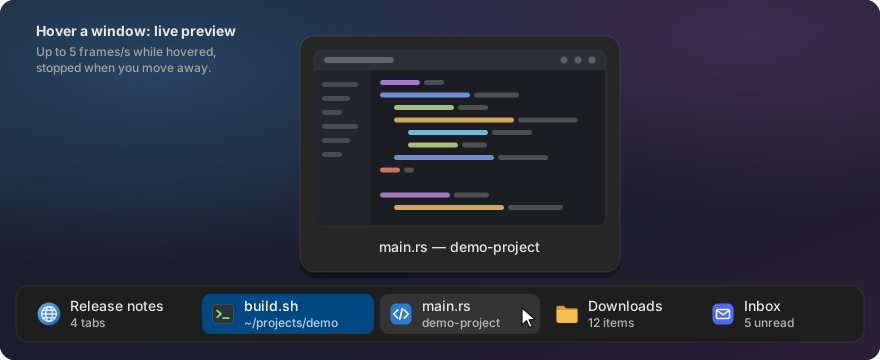
One button per window on the current workspace, with icon, title and a second line that tells you something: “3 tabs”, the song that is playing, “4 unread”. Middle-click to close, right-click to pin an app to a workspace. The dock stops showing the same apps twice.

Live preview on hover. Rest the pointer on a window and a live picture of it appears, so you find the right one without switching to it. Minimized windows show their last picture.
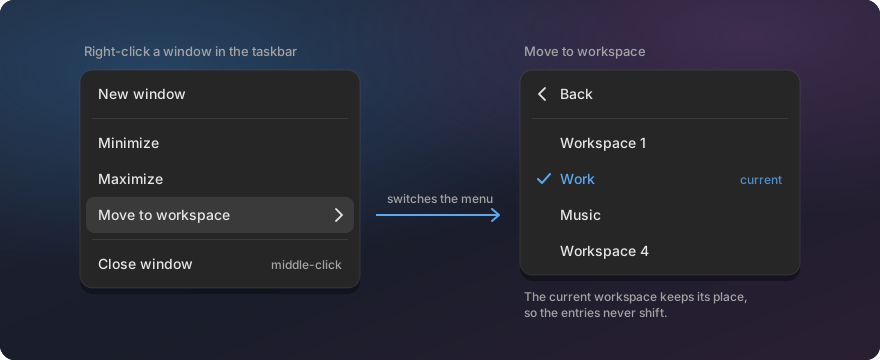
Move a window to another workspace. Right-click it in the taskbar, pick “Move to workspace” and choose the target by name or number. No dragging through the workspace overview.
Terminal and Files tab counts
Add-ons for the taskbar: it shows “3 tabs” for COSMIC Terminal windows, and “2 tabs” or “14 items” for COSMIC Files windows. Terminal · Files
Tray colors
Tray icons keep their colours: a red unread badge stays red instead of turning into a flat monochrome icon.

Text Editor
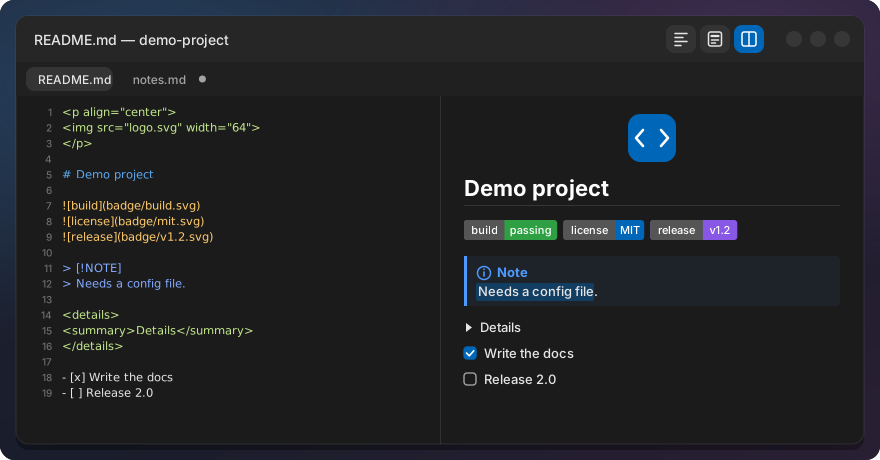
COSMIC Text Editor with the comforts of Notepad++. Markdown files open rendered: switch between Preview, Source and Split with Ctrl+Alt+1 / 2 / 3, with coloured code blocks, Mermaid diagrams and an outline of the headings, and you can select and copy text right in the preview. Files open as tabs in one window, and every tab of your last session comes back, unsaved drafts included.
Never lose an edit. Changed lines and words stay marked until you save. When another program changes a file you are editing, a bar asks Reload, Keep mine or Compare instead of one version silently winning.
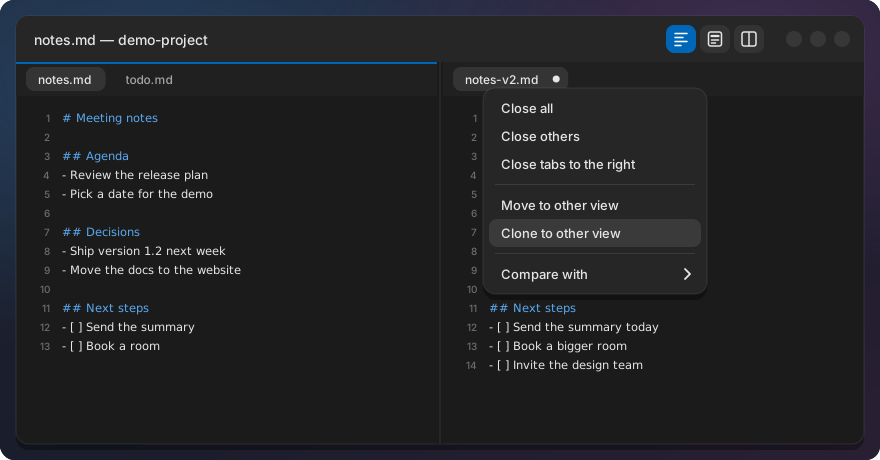
Tools for code and config files. JSON format, minify and validate, visible whitespace and line endings, column selection with Alt+drag, code folding, Close all tabs, and two views side by side with synchronized scrolling, Notepad++-style clones and Compare.
Workspace Keeper
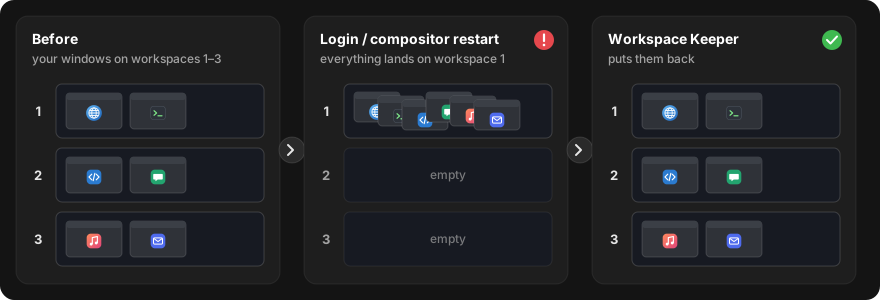
Remembers which workspace each window is on and moves the windows back after you log in again or after the desktop crashes and restarts. Pin an app to a workspace and its windows always open there: start a pinned chat app from anywhere and you land on your work workspace with it.
Show Desktop
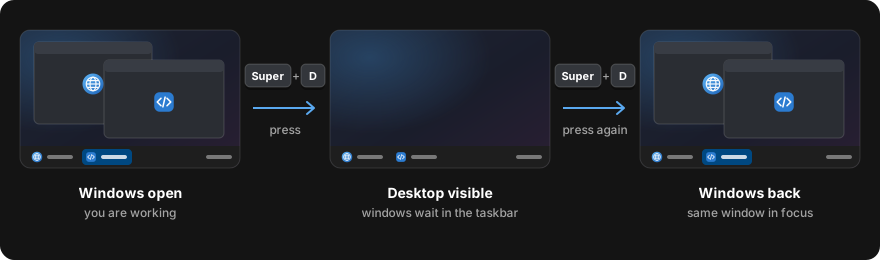
Super+D minimizes the windows of the current workspace, like on Windows. Press it again and they come back, with the window you were in on top.
Install
Open a terminal and run:
curl -fsSL https://raw.githubusercontent.com/jwillmer/cosmic-desktop-extras/main/install.sh | bash
A menu lets you pick the tools. Uninstall any tool with ./install.sh --uninstall <tool>.
Everything installs for your user only; no system files are replaced. Tested on Pop!_OS 24.04
with COSMIC. Build steps, requirements and the FAQ:
README on GitHub.
Learn more
- Source code and issues on GitHub
- Blog post: why and how it was built
- Blog post: a Notepad++-style Text Editor for COSMIC
- Requests to COSMIC upstream: the features proposed for COSMIC itself, and the Show and tell discussion
- Technical documentation: how each tool works, installed files, settings, patch maintenance, tests
- For app developers: put your own text on the taskbar’s second line
Built on System76’s COSMIC desktop. GPL-3.0. This project is not affiliated with or endorsed by System76.